AI has changed writing forever, but the demand for flawless grammar, clear tone, and publication-ready prose remains. Whether you are a professional copywriter, a novelist, a student, or a business executive sending emails, a basic spellchecker isn’t enough anymore.
Grammarly and ProWritingAid have been rivals for years, and both have integrated powerful AI writing tools by 2026.
But they serve two completely different types of writers.
We ran several drafts — from marketing copy to fiction chapters — through both tools. Here is the honest head-to-head comparison of Grammarly vs. ProWritingAid in 2026.
Quick Verdict: Which Wins?
- 🥇 Best for Casual & Business Writers: Grammarly — Unmatched ease-of-use, real-time corrections in any browser window, and sleek tone adjustments.
- ⚡ Best for Authors & Creative Writers: ProWritingAid — Deep structural reports analyzing pacing, glue words, clichés, and style consistency.
- 💻 Best Integrations: Grammarly — Flawless desktop widgets and web extension integrations.
- 💰 Best Pricing Value: ProWritingAid — Offers a lifetime license and cheaper annual pricing compared to Grammarly's subscription.
Comparison Matrix: Grammarly vs. ProWritingAid
| Feature / Metric | Grammarly | ProWritingAid |
|---|---|---|
| Primary Audience | Business, Casual, & Professional | Authors, Novelists, & Academics |
| Real-time Grammar Check | 🥇 Best-in-class (Very smooth) | Good (Can lag on large documents) |
| Deep Style Reports | Basic (Tone, clarity suggestions) | 🥇 Exceptional (25+ structural reports) |
| AI Assist Tool | Grammarly GO (Highly intuitive) | ProWritingAid Spark (Detailed prompts) |
| Integrations | Chrome, Windows/Mac, Word, Mobile | Chrome, Word, Scrivener, Final Draft |
| Pricing Model | Subscription Only | Subscription & Lifetime Option |
| Starting Cost | $12.00 / month (Annual) | $10.00 / month (Annual) |
| Our Rating | 9.3 / 10 | 9.1 / 10 |
Head-to-Head 1: Real-time Editing & Interface
The way you interact with these tools is highly distinct.
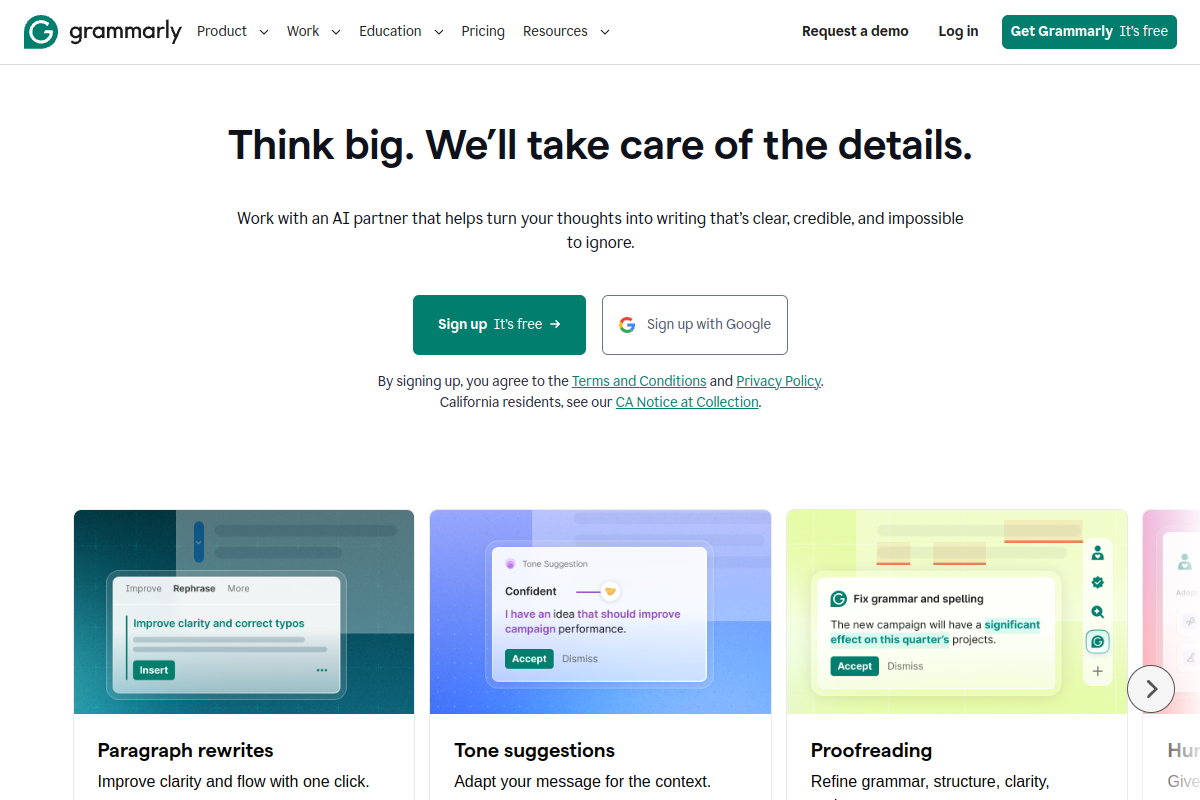
- Grammarly operates in real-time, working quietly in the background. As you type an email in Gmail, a message on Slack, or a document in Google Docs, a small green widget highlights suggestions. You can accept corrections with a single click. The interface is clean, minimal, and never feels overwhelming.
- ProWritingAid can also work in real-time, but its true power lies in its full-featured web and desktop editors. Running ProWritingAid is like compiling code. You write your draft, then run analysis reports. It displays sidebar charts showing your sentence length distribution, vocabulary diversity, and pacing indices.
The Verdict:
If you want frictionless, real-time editing while you work across the web and desktop apps, Grammarly is the clear winner. If you want to analyze completed chapters or long drafts in a dedicated workspace, ProWritingAid is the better environment.
Head-to-Head 2: Deep Styling Reports & Structure
This is where ProWritingAid separates itself from Grammarly.
While Grammarly focuses on correctness, clarity, and tone, ProWritingAid functions as a virtual editor analyzing the structural elements of writing:
- Sticky Sentences: Identifies sentences filled with "glue words" (the, of, is, with) that make sentences hard to read.
- Repeated Words: Checks if you use the same words within a few paragraphs of each other.
- Pacing Report: Visualizes fast-paced action scenes versus slow, introspective paragraphs.
- Dialogue Tags: Checks for weak dialogue descriptors (e.g., "he said loudly" vs. "he yelled").
Grammarly has a single "Clarity" bar and a tone detector, but it cannot analyze manuscript elements.
The Verdict:
For novelists, screenplay writers, and academic researchers, ProWritingAid is far superior. It gives you the structural feedback a human editor would. For bloggers, marketers, and business professionals, Grammarly's suggestions are more than sufficient.
Head-to-Head 3: AI Writing Features (Grammarly GO vs. Spark)
In 2026, both platforms feature built-in generative AI engines.
- Grammarly GO is context-aware. It understands what you are writing (e.g., an email reply, a LinkedIn post) and suggests quick prompt replies like "Make it sound more urgent" or "Draft a reply agreeing to these terms." It is highly practical and saves hours of typing.
- ProWritingAid Spark is focused on content enhancement. It allows you to select text and rewrite it in specific styles, add sensory details, generate character profiles, or summarize long reports.
The Verdict:
Grammarly GO wins for daily productivity, draft generation, and email workflows. ProWritingAid Spark wins for creative brainstorming, descriptive writing, and deep editing.
Pricing Comparison: Which is More Affordable?
Grammarly is famously expensive, rarely offering discounts. ProWritingAid is consistently cheaper and offers a highly coveted lifetime license.
| Plan Tier | Grammarly | ProWritingAid |
|---|---|---|
| Free Plan | ✅ Basic grammar & spelling | ✅ Basic check + 500-word limit |
| Monthly Subscription | $30.00 / month | $20.00 / month |
| Annual Subscription | $144.00 ($12.00/mo) | $120.00 ($10.00/mo) |
| Lifetime Plan | ❌ Not available | 🥇 $399.00 (One-time payment) |
Frequently Asked Questions
Is ProWritingAid better than Grammarly for fiction writers?
Yes. ProWritingAid integrates directly with Scrivener and Final Draft, and its deep writing reports (pacing, sticky sentences, cliches) are built specifically for structural manuscript editing, making it the preferred choice for fiction writers.
Which tool has the better free version?
Grammarly has the better free plan. It offers unlimited real-time grammar and spelling checks without a word count restriction. ProWritingAid's free plan restricts you to checking only 500 words at a time.
Do Grammarly and ProWritingAid work offline?
No, both tools require an active internet connection because their grammar processing engines and generative AI tools run on cloud servers.
Final Recommendation: Which Tool Should You Choose?
- Choose Grammarly if: You write emails, blog posts, slack messages, or marketing copy, and need a fast, reliable tool that corrects mistakes in real-time across the web.
- Choose ProWritingAid if: You are writing a book, manuscript, or research paper, want deep structural reports to improve your writing style, and prefer a one-time lifetime license.