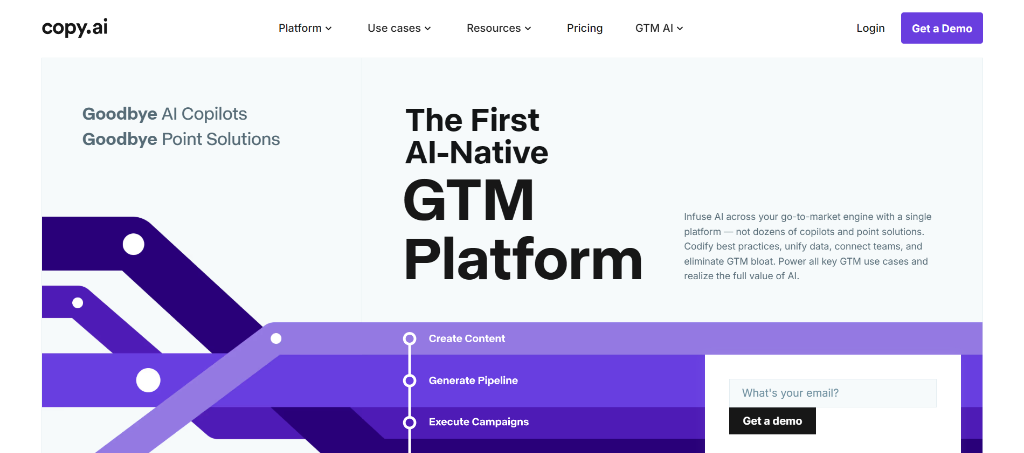
Welcome to our 2026 Copy.ai research breakdown. Once known primarily as a direct-response copywriting generator, Copy.ai has transitioned its product focus toward Go-To-Market (GTM) workflow automation for sales and marketing teams. This guide breaks down Copy.ai's published architecture, documented automation capabilities, pricing tiers, and operational tradeoffs. All information is synthesized from official documentation, published pricing terms, and public user feedback. We do not hands-on test software.
Quick Summary: What the Documentation Shows
Copy.ai combines conversational AI with structured workflow automation. Rather than requiring users to manually run repetitive writing prompts, its Workflow builder chains steps together—ingesting source data and outputting multiple marketing assets simultaneously. It offers a permanent free tier alongside paid Starter and Advanced tiers.
- 🥇 Best For: Marketing operations, sales outbound teams, and multi-channel content repurposing.
- 💰 Starting Price: Free plan ($0); Starter at $49/mo ($36/mo billed annually); Advanced at $249/mo ($186/mo billed annually).
- ⚡ Key Highlight: Multi-step GTM Workflows and InfoBase persistent company knowledge repository.
How This Review Was Researched
This review was researched using Copy.ai's official website, published pricing documentation, user knowledge base articles, and verified customer discussions across public platforms. We do not conduct software tests or claim proprietary measurements.
Our editorial policy examines software based on vendor-published specifications, documented capabilities, listed pricing, and public feedback patterns. Because software terms and features change frequently, always verify current plan limits directly on Copy.ai's official website.
Core Capabilities (Per Official Documentation)
Copy.ai's platform is organized around three primary functional layers:
1. GTM Workflow Builder
The Workflow builder is Copy.ai's core automation differentiator:
- Operates as a visual node-based system where users define input triggers (such as text briefs, transcripts, or URLs) and connect them to sequential generation actions.
- Allows marketers to construct multi-step content pipelines—for example, converting an ingested video transcript into a blog outline, a series of social media posts, and an email newsletter summary within a single execution sequence.
- Supports pre-built workflow templates for common marketing pipelines including product launches, webinar repurposing, and sales outreach.
2. InfoBase Asset Management
InfoBase functions as a centralized organizational memory repository:
- Users store foundational company information, including value propositions, target customer personas, product technical sheets, and case study highlights.
- Workflows and chat sessions reference InfoBase data dynamically during generation, reducing the need to repeatedly paste background details into individual prompts.
- Helps ensure generated outreach collateral aligns with documented product features and official organizational messaging.
3. Brand Voice Profiles
Copy.ai enables organizations to build custom Brand Voice profiles:
- Users provide writing samples or brand guidelines to configure specific tone parameters.
- Configured voices can be applied across chat conversations and automated workflows.
- On paid plans, brand voices persist across the team account, while free-tier sessions have limited voice persistence.
4. Conversational Chat Mode
Alongside automated workflows, Copy.ai provides an interactive chat interface:
- Designed for ad-hoc drafting, brainstorming, rephrasing, and quick copy variations.
- Includes quick access to prompt templates and real-time web search capabilities on supported plans.
Who Should Use Copy.ai?
Recommended For:
- Sales and Marketing Operations Teams: Teams seeking to automate repetitive multi-channel collateral generation and outbound sequences benefit from chained workflow execution.
- Content Repurposing Workflows: Publishers who regularly transform long-form assets (podcasts, webinars, research reports) into social snippets and email summaries.
- Teams Needing a Free Entry Point: Organizations wanting to evaluate AI writing workflows without immediate financial commitments can leverage the free tier.
Who Should Consider Alternatives:
- Deep Technical Documentation Writers: Engineering guides and API documentation requiring deep technical reasoning require specialized tools and strict manual oversight.
- Users Needing Only Simple Ad-Hoc Writing: For occasional, single-asset drafting, general LLMs (ChatGPT, Claude) provide simpler interfaces without the complexity of workflow builder configuration.
- Strict Single-Asset Long-Form Editorial: Teams whose primary requirement is rich long-form document drafting with advanced canvas editing may prefer dedicated editorial platforms.
Copy.ai Pricing Breakdown
Pricing details below reflect published terms as of October 4, 2026:
| Plan Tier | Annual Billing | Monthly Billing | Key Limits & Features |
|---|---|---|---|
| Free | $0 | $0 | 2,000 words in chat, 200 bonus credits [OWNER TO VERIFY free credit count], 1 user seat |
| Starter | $36 / month | $49 / month | Unlimited words in chat, 500 workflow credits/mo, 1 seat |
| Advanced | $186 / month | $249 / month | Up to 5 user seats, 2,000 workflow credits/mo, advanced workflow access |
Note: Yearly billing provides discounted monthly rates compared to month-to-month subscriptions. Verify current credit allowances and feature inclusions directly on the vendor pricing page.
Pros & Cons (Based on Documented Capabilities)
Documented Strengths:
- Chained Workflow Automation: Visual builder enables multi-step generation pipelines that link multiple assets together.
- Permanent Free Plan: Offers 2,000 words in chat and introductory credits without requiring an upfront paid subscription.
- InfoBase Context Integration: Centralizes product specifications and company personas for consistent reference across generations.
- Extensive Template Catalog: Provides pre-built marketing frameworks for common B2B and direct-response formats.
Documented Limitations:
- Credit-Gated Workflows: Automated workflow executions consume credits, requiring higher tiers for heavy volume.
- Higher Learning Curve for Workflows: Setting up multi-node workflows requires more configuration than simple prompt interfaces.
- Requires Content Review: Generated drafts require human editorial review to maintain factual accuracy and brand voice alignment.
Frequently Asked Questions
Does Copy.ai have a permanent free plan?
Yes. Copy.ai offers a Free plan with 2,000 words in chat and 200 bonus credits [OWNER TO VERIFY free credit count]. No credit card is required for the free plan.
What is the difference between Chat and Workflows in Copy.ai?
Chat is an interactive conversation tool for single-prompt drafting and brainstorming. Workflows are automated, multi-step sequences designed to generate multiple related marketing assets from a single input trigger.
Can Copy.ai integrate company-specific facts?
Yes. Through the InfoBase feature, teams can upload product data sheets, brand guidelines, and company facts so that generations reference documented organizational context.
How does Copy.ai compare to general LLMs?
General chatbots require manual prompts for each task. Copy.ai structures marketing production into automated workflows and centralized company knowledge repositories.