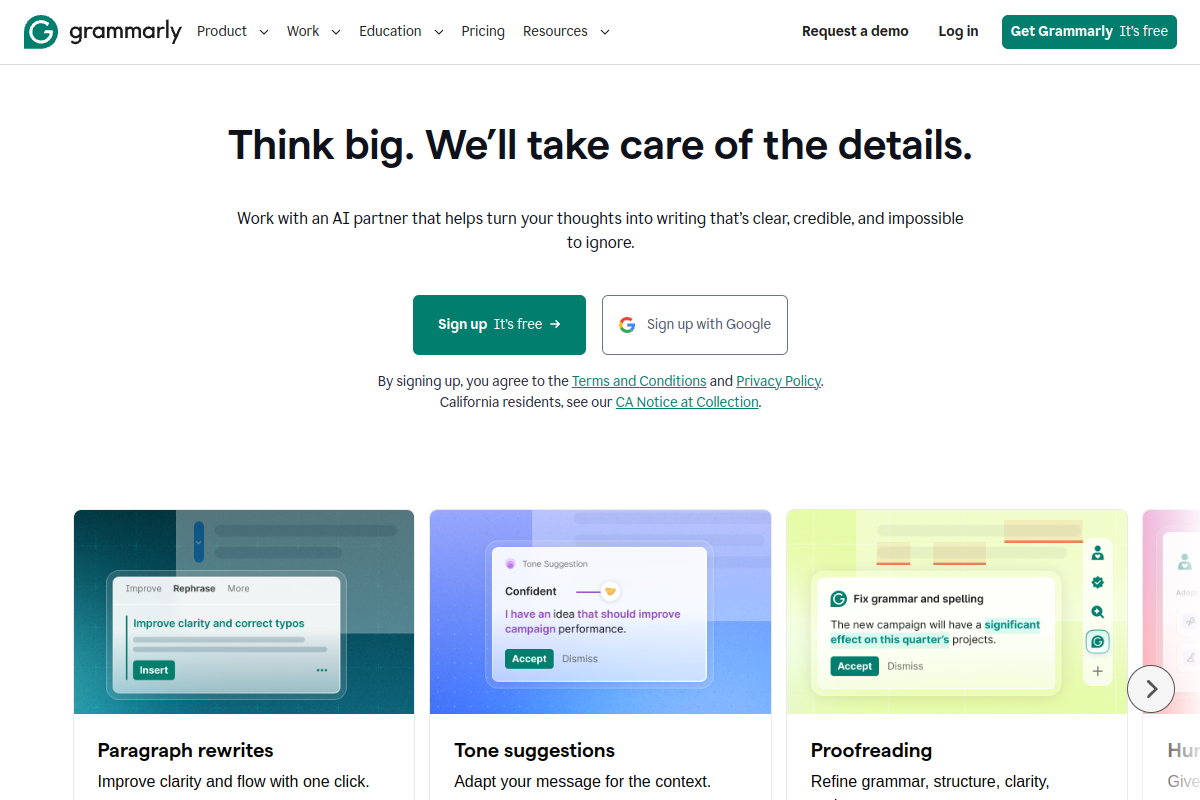
Grammarly has expanded significantly from its origins as a browser spell-checker into an AI-powered communication assistant. In 2026, it operates across desktop operating systems, web browsers, and mobile devices, providing real-time grammar detection, tone suggestions, style adjustments, and generative AI prompts.
This review synthesizes Grammarly's published documentation, official pricing tiers, and public user feedback. We do not hands-on test software. Below is a structured breakdown of Grammarly's documented features, pricing structure, and who benefits most from upgrading.
Quick Summary: What the Documentation Shows
Grammarly provides a reliable baseline for everyday writing enhancement. Its Free plan covers core spelling, grammar, and punctuation, while the Pro tier adds full-sentence rewrites, tone adjustments, vocabulary enhancements, and generative AI prompts. For professionals communicating across multiple desktop and web apps, its ubiquitous presence is its greatest asset.
- 🥇 Best For: Professionals, students, and teams wanting real-time grammar and clarity feedback across all desktop applications.
- 💰 Starting Price: Free plan ($0); Pro at $12/month billed annually ($30/month billed monthly); Enterprise custom quote.
- ⚡ Key Highlight: Cross-platform desktop and browser integrations with context-aware tone adjustments.
How This Review Was Researched
This review was researched using Grammarly's official website, published pricing documentation, and help center resources. We do not conduct first-hand performance evaluations or claim proprietary accuracy percentages.
Our editorial policy examines software based on vendor-stated capabilities, published technical specifications, pricing models, and public feedback patterns across developer and user communities. Pricing and features are subject to vendor updates; verify current terms directly on Grammarly's website.
Core Capabilities (Per Official Documentation)
Grammarly's platform is organized around real-time writing correction, style feedback, and generative assistance:
1. Grammar, Spelling & Punctuation Engine
Grammarly's foundational feature set includes automated error detection:
- Scans text for grammatical errors, misspelled words, and misplaced punctuation marks in real time.
- Contextual spell check distinguishes commonly confused homophones (e.g., "there," "their," and "they're").
- Punctuation rules identify missing commas, apostrophe errors, and hyphenation mistakes.
- Included on both the Free tier and paid plans.
2. Clarity, Tone & Style Enhancements
On paid Pro and Enterprise plans, Grammarly provides advanced stylistic recommendations:
- Full-Sentence Rewrites: Flags convoluted or passive sentences and suggests concise alternative phrasings.
- Tone Detector & Adjustments: Identifies the emotional tone of written text (e.g., confident, formal, friendly, direct) and provides suggestions to align text with intended audience expectations.
- Vocabulary Enhancements: Recommends alternative word choices to eliminate repetitive phrasing and improve precision.
- Formality Level Adjustments: Allows writers to toggle target formality settings depending on whether the document is an informal message or an executive report.
3. Generative AI Assistance
Grammarly incorporates assistive generative AI capabilities into its editor and browser extensions:
- Allows users to generate initial drafts, compose email responses, brainstorm topic ideas, and rephrase paragraphs using natural language prompts.
- Provides context-aware quick actions, such as "make more persuasive," "shorten," or "adjust tone."
- Generative prompt quotas vary between free and paid subscriptions [OWNER TO VERIFY exact monthly AI prompt limits across tiers].
4. Plagiarism Detection
Available on paid Pro subscriptions:
- Checks text against academic and web document databases to highlight uncited passages and match original sources.
- Assists students and content creators in verifying proper citation attribution before submission.
5. Cross-Platform Availability
Grammarly offers broad platform integration:
- Browser Extensions: Supports Google Chrome, Safari, Firefox, and Microsoft Edge.
- Desktop Applications: Native applications for Windows and macOS that integrate with native desktop word processors, email clients, and collaboration tools (Slack, Microsoft Teams).
- Mobile Keyboards: iOS and Android keyboard apps for mobile typing correction.
- Web Editor: Standalone web-based editor for focused writing and document management.
Who Should Use Grammarly?
Recommended For:
- Working Professionals: Individuals sending high volumes of client emails, reports, and workplace messages who need a consistent proofreading safety net.
- Non-Native English Writers: Writers drafting in English as a second language benefit from tone guidance, idiom corrections, and preposition adjustments.
- Students and Researchers: Academic writers needing formatting feedback, clarity rewrites, and built-in plagiarism checks.
- Distributed Teams: Organizations wanting unified communication standards through custom style guides and brand tones on Enterprise plans.
Who Should Consider Alternatives:
- Developers Writing Code Exclusively: Programmers authoring documentation primarily in Markdown, code editors, or IDEs may find general grammar extensions intrusive.
- Users Needing Pure Long-Form Generative Drafting: Grammarly is designed to edit and polish existing text; users looking to generate entire multi-channel marketing campaigns from scratch should evaluate dedicated marketing tools like Jasper or Copy.ai.
- Occasional Casual Typists: If you only need occasional spell checks, native operating system spell-checkers or free built-in word processor tools may be sufficient without installing third-party software.
Grammarly Pricing Breakdown
Pricing details below reflect published figures as of October 4, 2026:
| Plan Tier | Annual Billing | Monthly Billing | Key Inclusions |
|---|---|---|---|
| Free | $0 | $0 | Basic grammar, spelling, punctuation, tone detection, introductory AI prompts |
| Pro | $12 / month | $30 / month | Full-sentence rewrites, tone adjustments, plagiarism checker, expanded AI prompts |
| Enterprise | Custom Quote | Custom Quote | Team style guides, administrative controls, centralized billing, dedicated support |
Note: Pro plan requires annual billing ($144/year) to secure the $12/month rate; monthly billing is priced at $30/month. Team/Business plans may feature per-user minimum seat requirements [OWNER TO VERIFY team seat minimums].
Pros & Cons (Based on Documented Capabilities)
Documented Strengths:
- Seamless Cross-Application Integration: Operates across browsers, desktop apps, and mobile operating systems with minimal setup.
- Actionable Style Feedback: Goes beyond simple spell-check to offer full-sentence clarity and tone suggestions.
- Usable Permanent Free Plan: Basic grammar and spell checking remain free without credit card requirements.
- Built-In Plagiarism Engine: Integrated source matching on Pro plans simplifies content verification.
Documented Limitations:
- Steep Monthly Billing Premium: Month-to-month pricing ($30/month) is substantially higher than the annual commitment rate ($12/month).
- Occasional Context Misinterpretation: Automated stylistic suggestions may occasionally misinterpret specialized industry terminology or creative prose styling.
- Requires Desktop Permissions: System-wide desktop integration requires elevated operating system accessibility permissions.
Frequently Asked Questions
Does Grammarly have a free plan?
Yes. Grammarly offers a permanent Free plan that includes basic grammar, spelling, and punctuation checks, as well as baseline tone detection. No credit card is required.
How much does Grammarly Pro cost?
Grammarly Pro costs $12/month when billed annually ($144 billed upfront) or $30/month when billed on a month-to-month basis.
Can Grammarly detect plagiarism?
Yes. Grammarly Pro includes a plagiarism detection feature that scans text against public web pages and databases to flag potential text matches.
Does Grammarly work offline?
Grammarly requires an active internet connection to process text checks and provide cloud-based stylistic recommendations.